MDoxWord-class editing for Markdown

The rich editor your Markdown deserves.

Markdown is becoming the default text format. LLMs write it. Engineers read it. But Word users still get left behind by editors that hide source or expect them to learn syntax — and the ones that don't, look like a code editor.

MDox is built for them. Click, type, format. The output is just .md — open, plain text, version-controllable. No proprietary lock-in. No tutorial.

Get notified at launch macOS first · Windows + Linux next

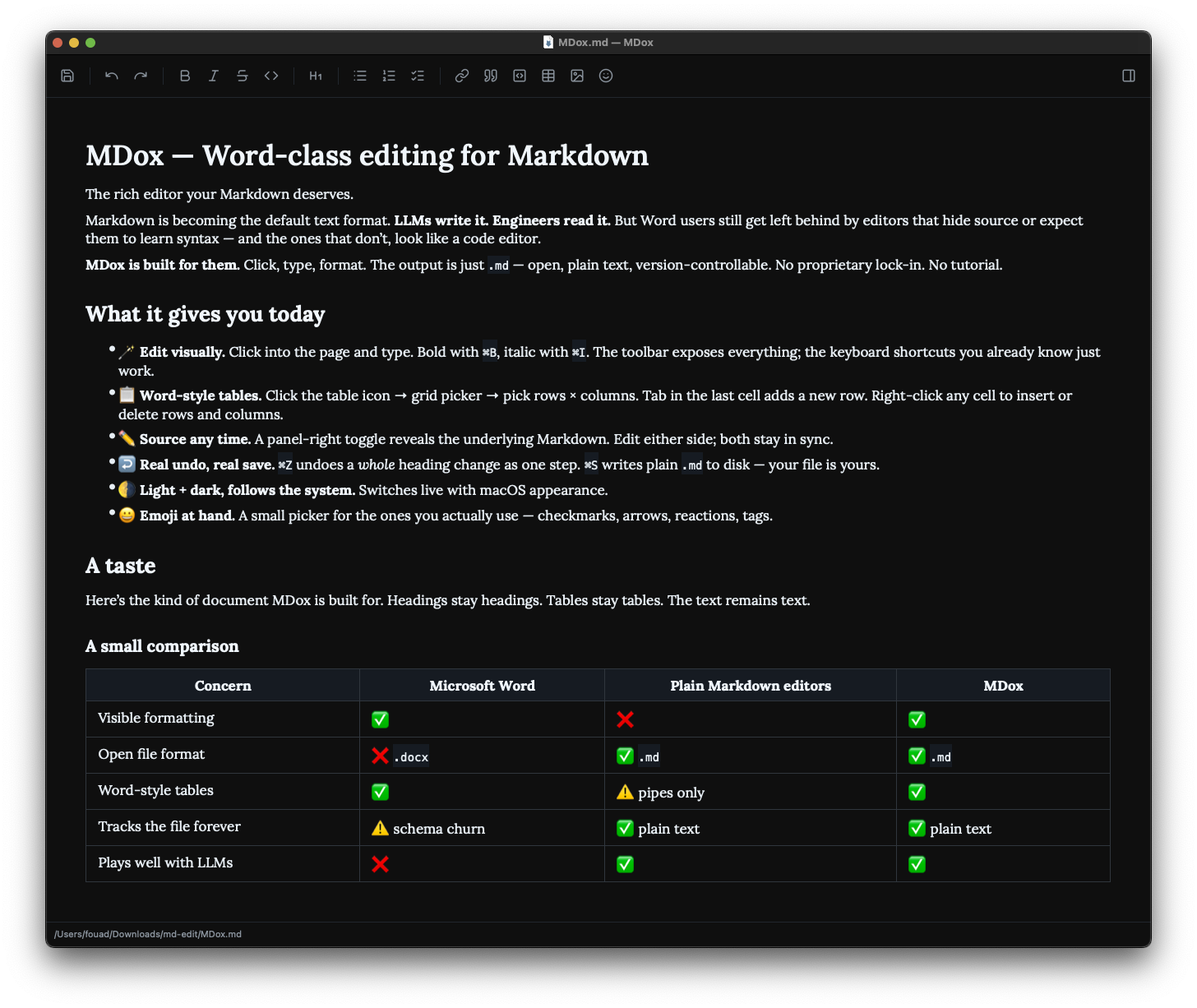
Screenshot of MDox showing the editor with formatted Markdown content and a toolbar at the top
Click into the page. Type. Format. Save plain .md.

What it gives you today

  • Edit visually. Click into the page and type. Bold with ⌘B, italic with ⌘I. The toolbar exposes everything; the keyboard shortcuts you already know just work.
  • Word-style tables. Click the table icon → grid picker → pick rows × columns. Tab in the last cell adds a new row. Right-click any cell to insert or delete rows and columns.
  • Source any time. A panel-right toggle reveals the underlying Markdown. Edit either side; both stay in sync.
  • Real undo, real save. ⌘Z undoes a whole heading change as one step. ⌘S writes plain .md to disk — your file is yours.
  • Light + dark, follows the system. Switches live with macOS appearance.
  • Emoji at hand. A small picker for the ones you actually use — checkmarks, arrows, reactions, tags.

A small comparison

Concern Microsoft Word Plain Markdown editors MDox
Visible formatting
Open file format .docx .md .md
Word-style tables pipes only
Tracks the file forever schema churn plain text plain text
Plays well with LLMs
"I want a Markdown editor that doesn't ask my users to read a tutorial."

That was the brief. Markdown is the future-proof document format. Editors built for engineers leave most writers behind. MDox is built for the writer who learned formatting in Word and shouldn't have to relearn anything to switch.

What's coming

The next big thing is PDF export — document-grade output, paginated, with our typography. Markdown in, .pdf out, no copy-paste dance through Word.

After that: image drag-and-drop, a few small typography polishes, and a Windows + Linux build. The core is portable Qt; the experience travels.

Get notified at launch

One email when MDox ships. No newsletter, no marketing.